Captions that keep people watching.
CapCap writes the captions for your video in seconds. Then you get a real editor for every word: timing, style, translation and export.
- 4.5 on the App Store
- 113K downloads
- Free to start
Scan to download
Point your camera at the code to get CapCap.

Caption styles
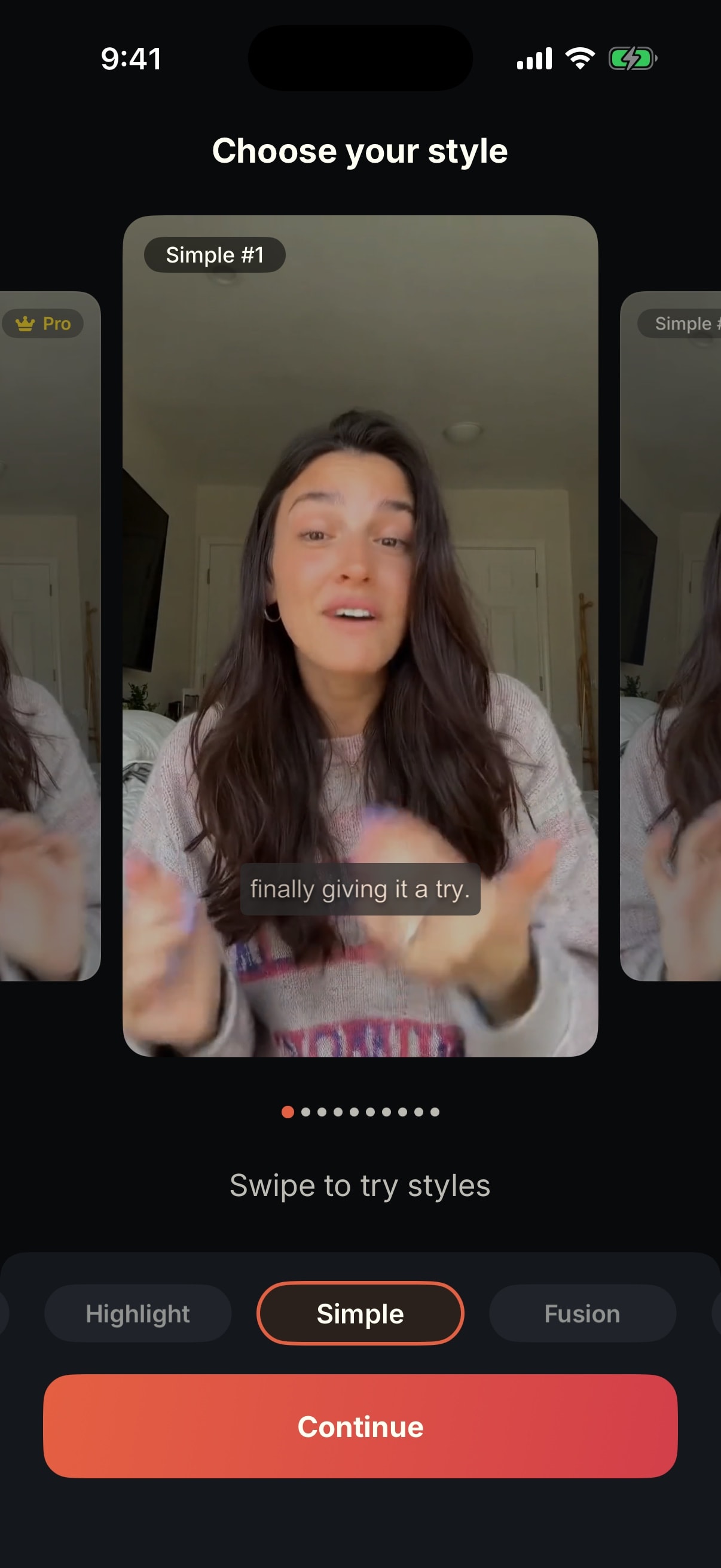
One clip. Every look.
Pick a style and watch the same captions change. Every template can be tweaked after you apply it.
Timed to CapCap's transcript of this clip
Precise editing
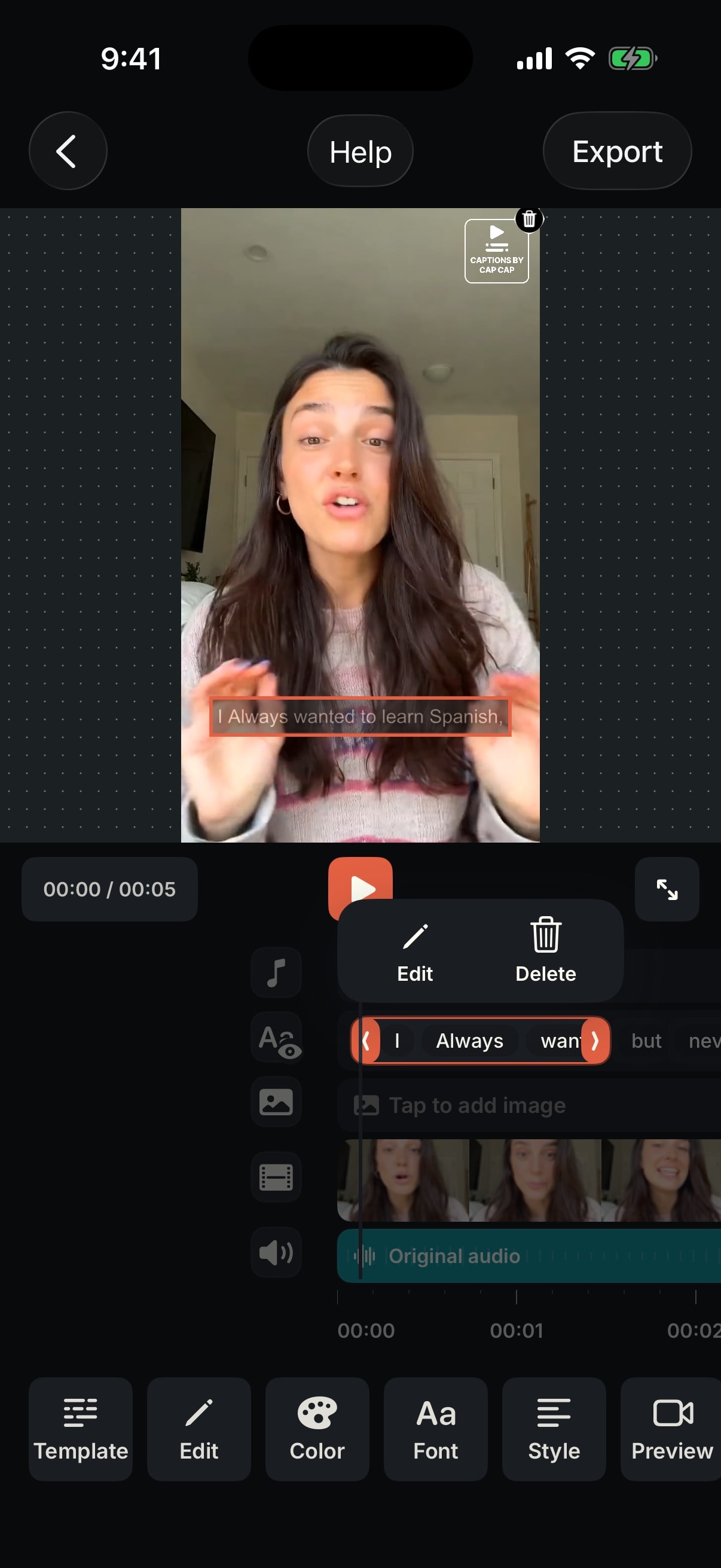
Every word, exactly right.
Automatic captions get you most of the way. CapCap makes the last fixes quick.
- Captions in secondsPick a video and CapCap transcribes it word by word, in most spoken languages.
- Fix any wordTap a word or a line on the timeline to edit it or delete it.
- Retime by draggingDrag a line's handles so the caption lands exactly when it's said.
Styling
Style it down to a single word.
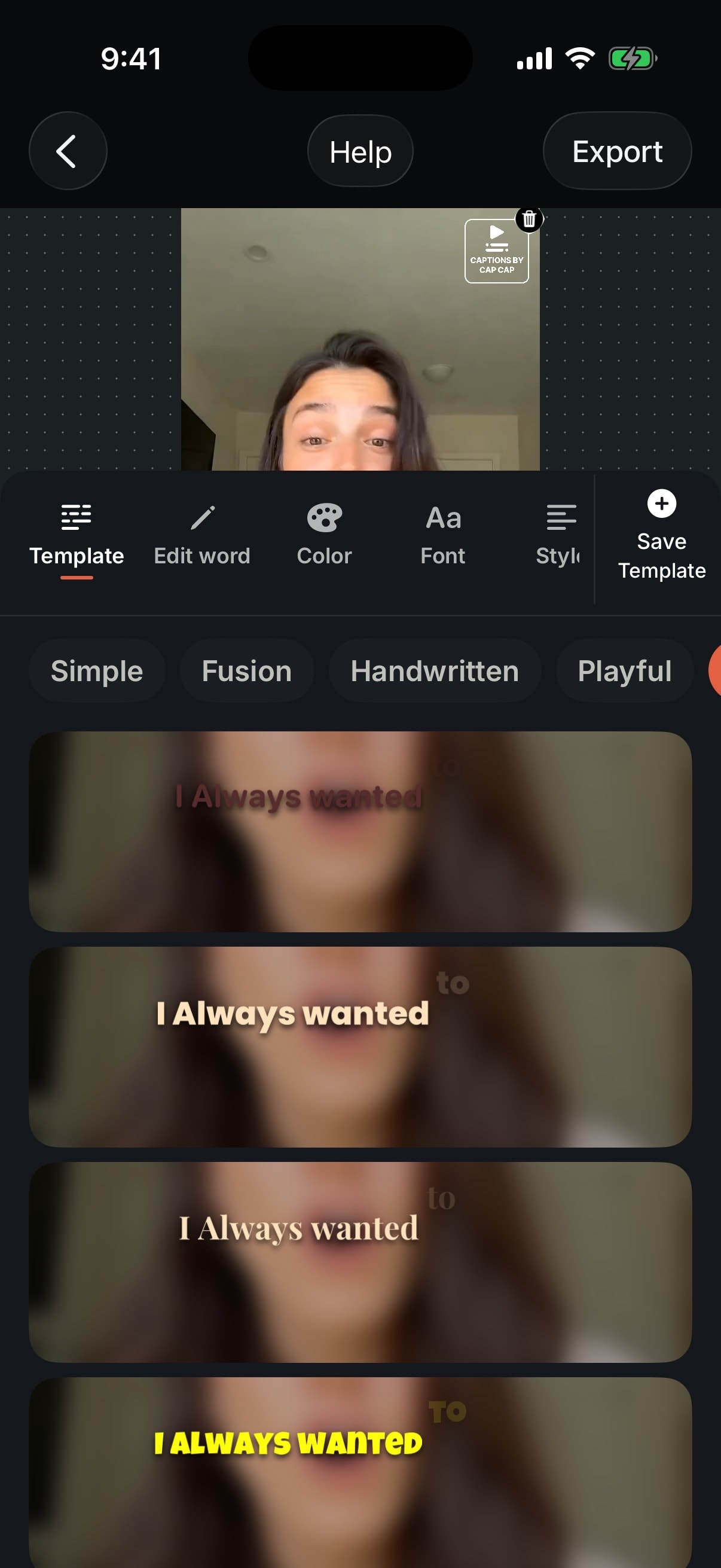
Start from a template, then change the font, color or animation for a whole line or just one word.
Start from a template
Browse templates by style and apply one to a line or the whole video.
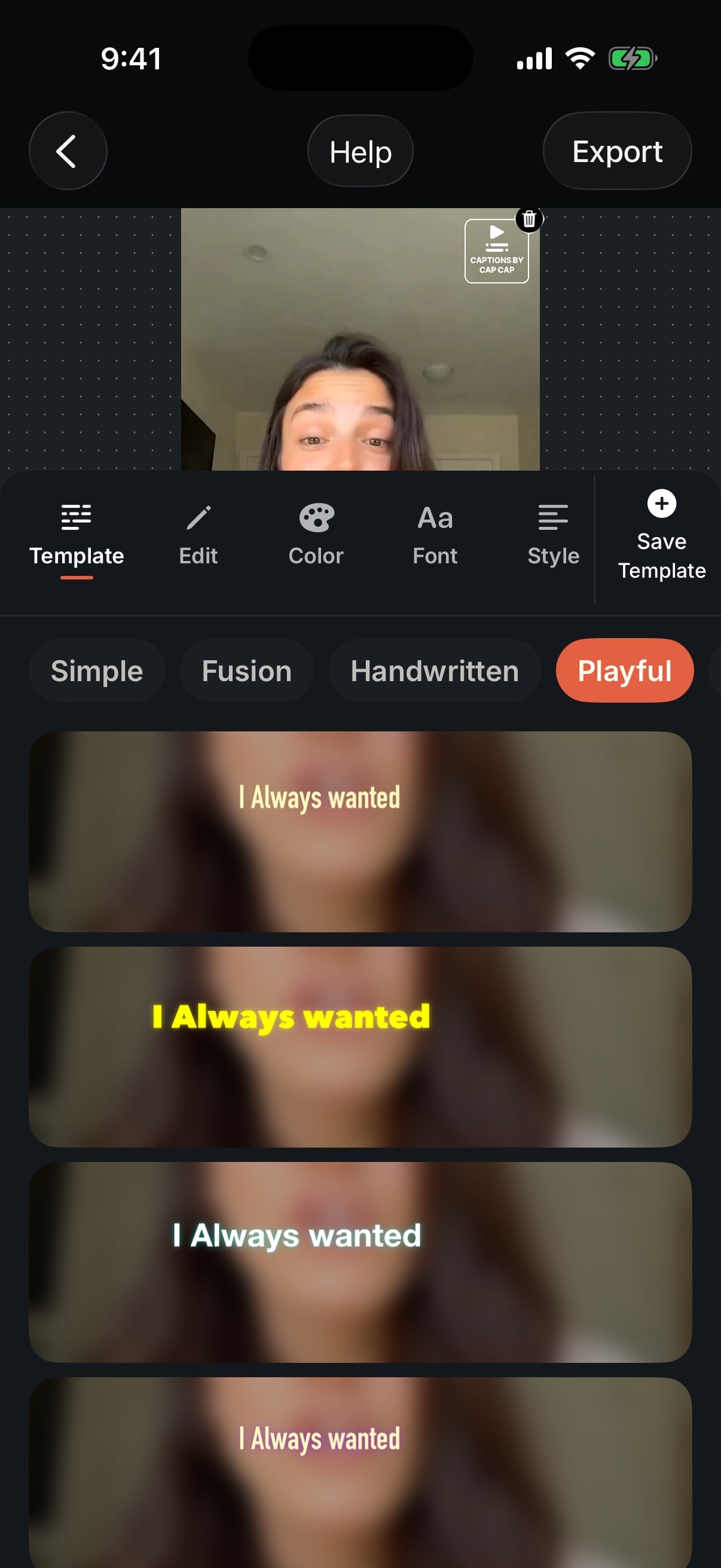
- Simple
- Fusion
- Handwritten
- Playful
- Highlight
- Bold
- Single Word
Translation
Reach people in their language.
Translate captions into another language, then style them like any other caption.
- 100+ languagesCaption in the language that's spoken or translate into another, including right-to-left scripts like Arabic and Hebrew.
- AI dubbing in your voiceTurn the translation into speech that sounds like you.
Haz que cada clip esté listo para compartir.
Make every clip ready to share.
00:01 / 00:06
Video editor
A real timeline, in your pocket.
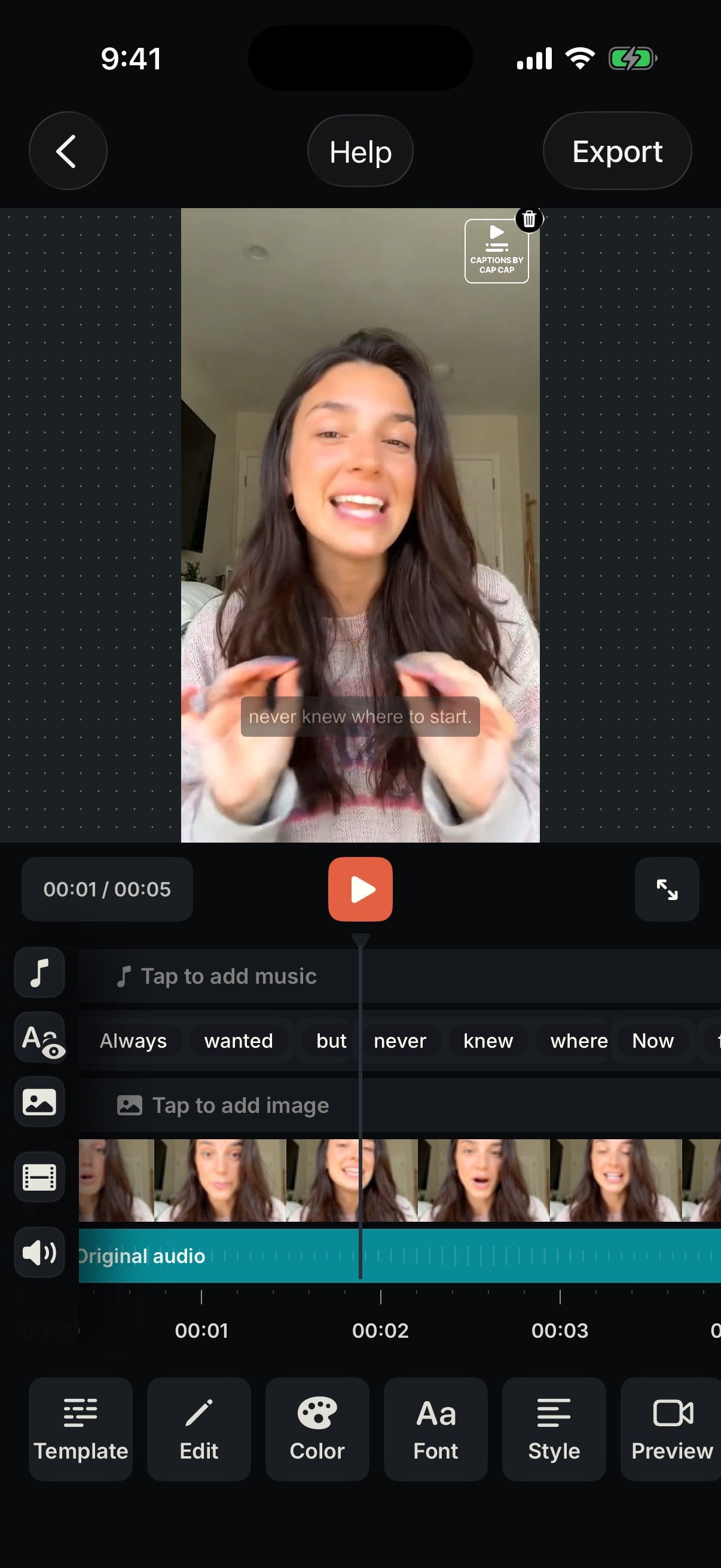
Captions sit on a timeline with your video, images and music, so the whole edit happens in one place.
- Music, images and clipsAdd songs, overlay images and join more clips. The original audio keeps its own track.
- TransitionsPut a transition between clips with a tap.
- Any aspect ratioChange the frame for wherever you post.
Export
Ready to post.
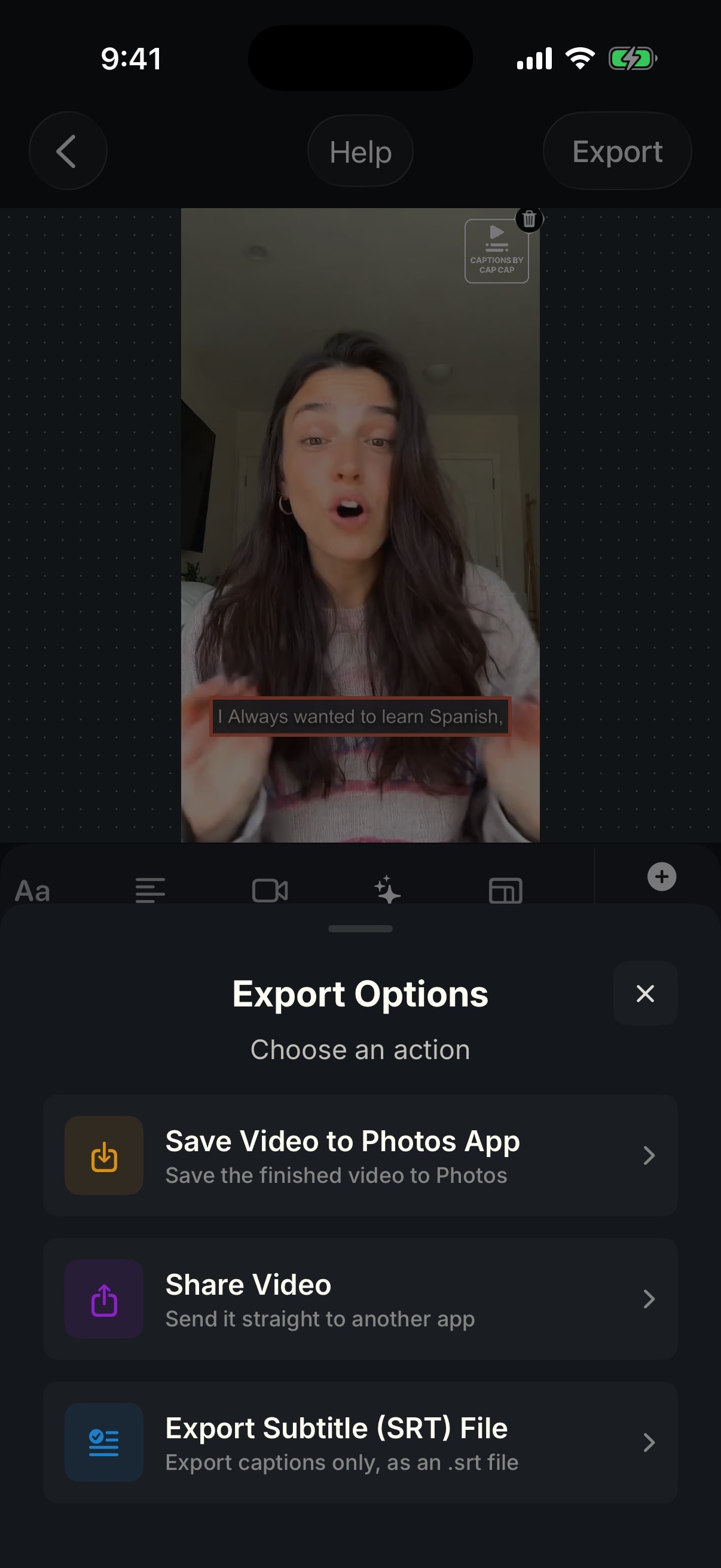
Export the finished video in a couple of taps, or take just the captions.
- Save to PhotosSave the finished video with the captions burned in.
- Share anywhereSend it straight to another app.
- SRT subtitlesExport only the captions, as an .srt file for YouTube or another editor.
- Preview each platformCheck that captions clear Instagram, TikTok or YouTube Shorts buttons before you post.
Reviews
What people say on the App Store
Awesome and easy
“I’m so glad I found this app. It makes everything easier and is great for social media and YouTube videos. I love it.”
SierraF · App Store, United States
Great experience
“Very quick translation with multi language support.”
He_meant_2 · App Store, United States
Phenomenal Services.
“Phenomenal quality and exceptional back-up services.”
Nicole Nantes · App Store, United Arab Emirates
Pricing
Free to start. Pro when you need more.
Caption 3 videos a month for free. Upgrade when you post more often.
Free
For trying CapCap and the occasional post.
- 3 captioned videos a month
- Videos up to 3 minutes
- 4 templates in every style
- Editing, translation and SRT export
Pro
For creators who post often.
- Unlimited captioned videos
- Videos up to 30 minutes
- All 50+ templates
- No CapCap watermark
- Unlimited AI dubbing
Pro prices are shown in the App Store, in your local currency.

Your next video, captioned in minutes.
Download CapCap and try it on a clip from your camera roll.
Scan to download
Point your camera at the code to get CapCap.
Requires iOS 18 or later, on iPhone and iPad.